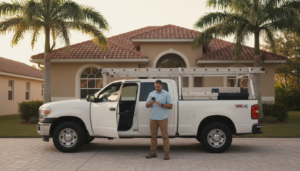

Contractor phone systems are the difference between a booked schedule and a voicemail full of jobs you’ll never call back. If your crew is in the field and the office line rings into the void, you’re paying for marketing that leads straight to a dead end. Most contractors we meet across Jacksonville, Ocala, Orlando, and Tampa aren’t losing jobs to competitors — they’re losing them to a phone that nobody answers.
The fix isn’t complicated, but it does require honesty about what your current setup is actually doing. A modern, cloud-based phone system routes calls to whoever’s available, texts leads back automatically, and gives you data on every missed call. A legacy landline sitting in an empty office does none of that.
📌 Key Takeaways
- A missed call is a missed estimate — most homeowners call the next contractor on the list within minutes.
- Legacy phone systems tied to a single desk phone can’t follow your crew into the field.
- Look for call routing, mobile apps, call recording, and automatic text-back when comparing phone systems for construction companies.
- Switching providers rarely requires a new number — ports usually happen without downtime.
- Pair your phone system with managed business phones support so nothing breaks during your busy season.
Jump to a section:
- Why Contractor Phone Systems Matter More Than Ever
- Signs Your Legacy Phone System Is Costing You Jobs
- What to Look for in Phone Systems for Construction Companies
- Legacy Phone Systems vs Modern VoIP: A Side-by-Side Look
- How to Switch Without Losing a Single Call
- Choosing a Provider: Questions to Ask
- FAQ: Contractor Phone Systems
Why Contractor Phone Systems Matter More Than Ever
Quick Answer: Homeowners calling a contractor expect a live person, and they’ll move to the next name on Google if nobody picks up. Your phone system is your first sales rep, whether you’ve trained it to be or not.
I spent years selling water filtration, then solar, windows, and remodels before shifting into sales engineering for contractors. In every one of those businesses, the phone was the single biggest lead leak nobody wanted to look at closely.
Here’s the reality: a homeowner with a leaking roof or a dead AC unit isn’t patient. They’re calling three or four companies back to back. The first one that answers — or texts back within a minute — usually wins the estimate before the others even call back.
The Real Cost of a Missed Call
A single missed call isn’t just one lost job. It’s lost word-of-mouth, a lost review, and a lost chance at repeat business down the road. Multiply that by every unanswered ring during a busy install week, and the math gets ugly fast.
📊 Data Point: According to the Federal Communications Commission, VoIP-based business phone systems route calls over the internet instead of copper lines, which is why they can forward to mobile devices, apps, and virtual receptionists in real time — something older systems were never built to do.
Contractors in high-growth markets like Ocala and Orlando feel this pressure most. More new construction and remodel demand means more inbound calls competing for the same crews, which means the phone has to work harder than ever.
Signs Your Legacy Phone System Is Costing You Jobs
Quick Answer: If calls only ring at one desk, voicemails pile up unheard, or you can’t tell who called last week, your legacy phone system is quietly bleeding leads.
Legacy phone systems were built for an office with a receptionist sitting at a desk all day. That model doesn’t match how most contracting businesses operate now, with owners and estimators running between job sites.
Common Warning Signs
Watch for these patterns in your own call history:
- Calls go straight to voicemail after business hours with no text-back.
- Nobody can confirm how many calls were missed last week.
- Office staff juggle a desk phone and a personal cell phone separately.
- There’s no recording to review how a lead was handled.
- Adding a second location means adding a whole new phone line.
⚠️ Common Mistake: Many contractors assume forwarding the office line to a cell phone solves the problem. It helps, but it doesn’t give you call routing, missed-call texting, or reporting — you’re still flying blind on what’s actually happening with every lead.
What to Look for in Phone Systems for Construction Companies
Quick Answer: Prioritize mobile flexibility, automatic missed-call texting, call recording, and simple reporting. Everything else is a nice-to-have.
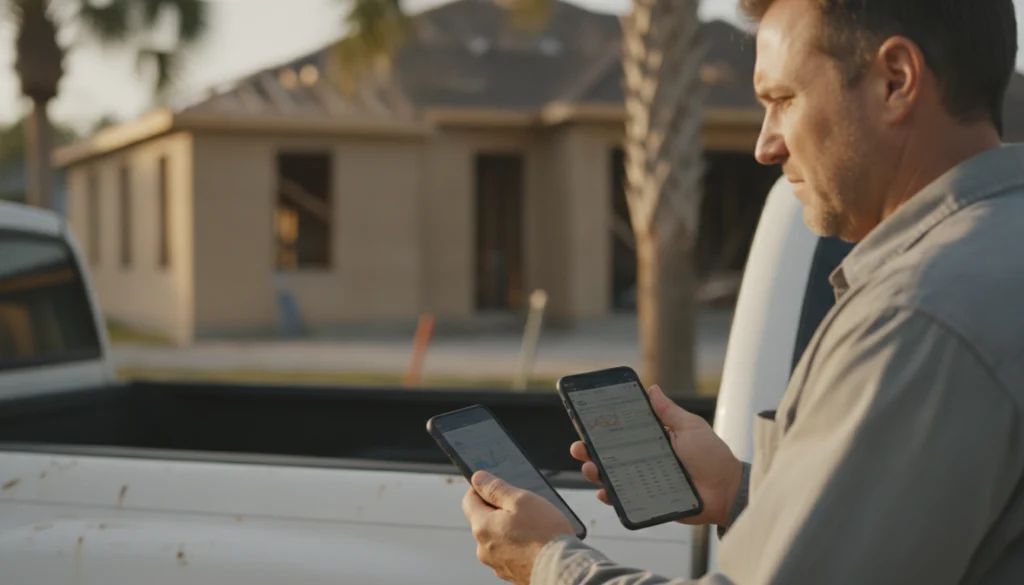
Phone systems for construction companies need to handle a workforce that’s rarely in one place. That means the system has to live on a phone app, not just a desk unit, and it needs to work the same whether you’re in Gainesville or Daytona Beach.
Features That Actually Move the Needle
A few features consistently separate a system that generates jobs from one that just sits there ringing:
- Call routing: Sends calls to whoever is free, instead of ringing one phone until it gives up.
- Missed-call text-back: Automatically texts a lead the moment a call goes unanswered, so they don’t call the next company.
- Call recording: Lets you coach estimators on how they’re actually handling inbound leads.
- Simple reporting: Shows you call volume by day, time, and source so you know when to staff up.
✅ Quick Tip: If you’re already running ads or ranking in the map pack, pair your phone upgrade with a look at your SEO and listing strategy — more visibility only pays off if the calls it generates actually get answered.
Many of our clients also layer in an AI voice receptionist for after-hours calls, so a homeowner in Tampa calling at 9 p.m. still gets a human-sounding response instead of dead air.
Legacy Phone Systems vs Modern VoIP: A Side-by-Side Look
Quick Answer: Legacy phone systems are tied to physical hardware at one location; VoIP systems follow your team on any device, anywhere there’s internet.
It helps to see the differences laid out plainly, because the sales pitch for newer systems can sound like marketing fluff until you compare feature by feature.
| Feature | Legacy Phone Systems | Modern VoIP / Cloud Systems |
|---|---|---|
| Call location | Tied to one desk/office | Works on mobile apps anywhere |
| Missed-call follow-up | Manual, if at all | Automatic text-back |
| Setup cost | High (wiring, hardware) | Low (software-based) |
| Scaling to new jobs/offices | New lines/hardware required | Add a user in minutes |
| Call data | Little to none | Full reporting and recordings |
| Monthly cost | Often bundled with old contracts | Usually predictable, per-user |
💡 Expert Insight: Legacy phone systems aren’t necessarily bad systems — they were simply built for a different era of business. The issue is that contracting work has become more mobile, and the phone has to move with it.
The U.S. Small Business Administration notes that dependable, well-managed communication tools are a recurring theme among small businesses that scale successfully. For contractors, that starts at the phone line.
How to Switch Without Losing a Single Call
Quick Answer: Switching phone systems takes a few days of planning, not weeks of downtime, as long as you port your number correctly and test before the cutover.
Contractors delay this upgrade because they picture losing their number or missing calls mid-switch. Done correctly, neither happens.
The Switch, Step by Step
- Audit your current call volume and identify peak hours.
- Choose a provider that supports number porting without a blackout window.
- Set up call routing and text-back rules before the number transfers.
- Train your team on the mobile app for a few days in parallel with the old system.
- Cut over fully once calls are confirmed to be routing correctly.
⚠️ Common Mistake: Switching everything at once without a parallel test period. Run both systems briefly so a dropped call during transition never reaches a customer.
Choosing a Provider: Questions to Ask
Quick Answer: Ask about uptime, number porting, after-hours coverage, and whether reporting is included or an upsell — not just the sticker price.
Price is the easy comparison. The harder, more important questions are about what happens when a line goes down during your busiest week of the year.
Questions Worth Asking Every Vendor
- What happens to calls if the internet goes down at the office?
- Is missed-call text-back included, or a paid add-on?
- Can I see call recordings and reports without a separate login?
- How long does number porting take, and is there a blackout period?
- What does ongoing support actually look like once I’m signed up?
📊 Data Point: The Bureau of Labor Statistics projects continued demand for skilled trades through the decade, which means call volume for contractors in growing markets like Orlando and Jacksonville is likely to keep climbing, not level off.
We built our managed business phones service specifically around these questions, because we kept hearing the same frustrations from contractors who’d been burned by a provider that disappeared after the install. Pairing phones with reputation management also matters — a well-handled call that ends in a good review compounds your visibility over time.
FAQ: Contractor Phone Systems
What are contractor phone systems, exactly?
Contractor phone systems are business phone setups built to handle calls for a mobile workforce — routing calls to field staff, recording them, and texting leads back automatically when a call is missed. They’re usually cloud-based rather than tied to a single desk phone.
How much do phone systems for construction companies typically cost?
Most cloud-based systems run on a per-user monthly fee rather than a large upfront hardware cost, often ranging from affordable entry plans to higher tiers with advanced reporting. Exact pricing depends on call volume, number of users, and which features like recording or routing are included.
Can I keep my existing business number when I switch?
Yes, in almost every case your existing number can be ported to a new provider without a service gap. The process typically takes a few business days and should be tested in parallel before the old system is shut off.
Are legacy phone systems still worth keeping for a small contracting business?
Legacy phone systems can still function for very small, single-location operations with low call volume. But once a business adds a second truck, remote estimators, or after-hours calls, the lack of mobile routing and text-back usually costs more in lost jobs than it saves in hardware.
Do contractors in Ocala and Tampa need different phone setups than larger markets?
Not really — the core needs are the same: mobile routing, missed-call text-back, and reporting. What changes is call volume and timing, since fast-growing markets like Ocala, Jacksonville, and Tampa tend to see more inbound calls during peak remodel and storm-recovery seasons.
What happens to calls if my internet goes down?
Most reputable VoIP providers include automatic failover that reroutes calls to a mobile number or backup line if the internet connection drops. Ask any provider directly how failover works before signing a contract, since coverage varies.
How do I know if my current phone setup is losing me leads?
Pull your call logs and compare them against your estimate requests; a large gap usually points to missed or unanswered calls. Recording and reporting features in modern systems make this visible, where legacy systems typically leave you guessing.
The Bottom Line
Contractor phone systems aren’t a back-office detail — they’re the first impression every homeowner forms of your company. Legacy setups tied to one desk can’t keep up with crews working across Jacksonville, Ocala, Orlando, and Tampa job sites. Modern, cloud-based systems close that gap with routing, text-back, and reporting that actually show you what’s working.
Next steps:
- Pull last month’s call logs and count how many calls went unanswered.
- Compare your current setup against the feature table above.
- Ask any prospective provider the five vendor questions in this guide.
- Talk to a team that manages phones specifically for contractors, not generic office setups.
If your phone is costing you jobs you’ve already paid to generate, it’s time for a straight answer. Contact Legacy Sales Engineering to review your current phone setup and see what a managed, contractor-built system looks like.